
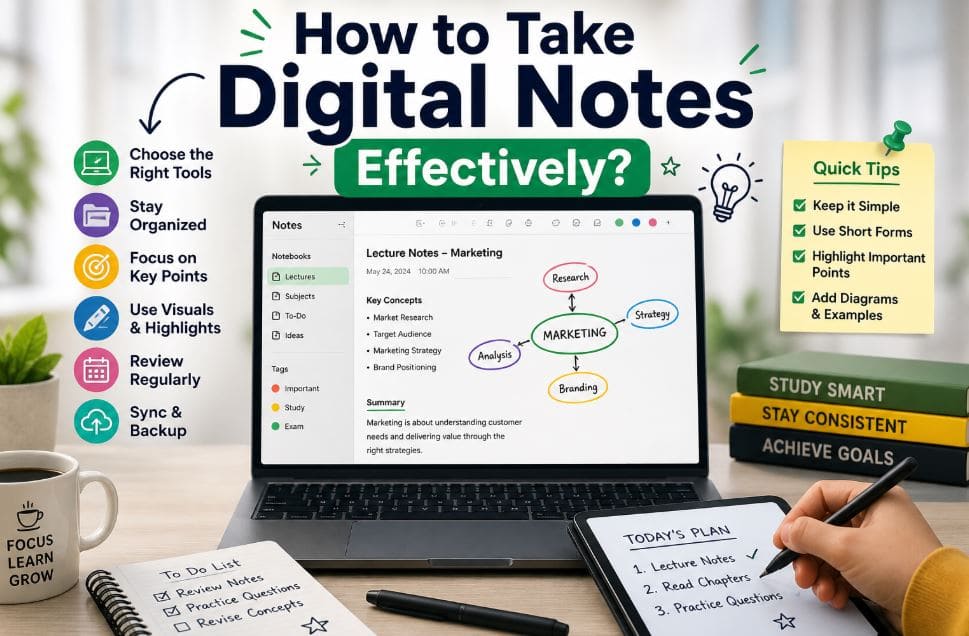
Taking notes is a key part of learning. But today, most students prefer using laptops, tablets, or phones instead of paper. If you want to improve your study habits, learning how to take digital notes effectively can make a big difference.
This guide is written in a clear and simple way, so you can easily understand and apply the tips right away.
What is Digital Note-Taking?
Digital note-taking means writing and organizing your notes using a device like a laptop, tablet, or smartphone.
Instead of using a notebook, you use apps or software to save your notes. These notes are easy to edit, search, and access anytime.
Why Students Prefer Digital Notes
- Easy to organize
- Quick to edit
- Can access from anywhere
- No risk of losing paper
Benefits of Taking Notes on a Laptop
Using a laptop for note-taking has many advantages, especially for students.
Key Benefits:
- Fast typing: You can write more in less time
- Easy editing: Fix mistakes quickly
- Search option: Find any topic instantly
- Cloud backup: Your notes stay safe online
- Add images and links: Make notes more useful
These features help you study smarter, not harder.
Best Way to Take Notes in College on a Laptop
If you are a student, you may wonder about the best way to take notes in college on a laptop. The answer is simple: keep your notes clear, organized, and focused.
Easy Methods to Follow:
1. Outline Method
Use headings and bullet points. This keeps your notes clean and easy to read.
2. Cornell Method
Divide your page into three parts: notes, keywords, and summary.
3. Mind Mapping
Use diagrams to connect ideas. This works well for visual learners.
Simple Organization Tips:
- Create folders for each subject
- Name files clearly (e.g., “Math Lecture 1”)
- Use dates to track your notes
Avoid Distractions:
- Turn off notifications
- Close social media apps
- Stay focused on the lecture
How to Take Notes on Laptop During Lecture
Taking notes during a lecture can feel challenging. But with the right method, it becomes much easier.
Before the Lecture
- Review previous notes
- Open your note-taking app
During the Lecture
- Focus on main ideas
- Do not write everything
- Use short forms (e.g., “b/c” for because)
- Highlight important points
After the Lecture
- Review your notes
- Add missing details
- Clean up formatting
This process helps you understand and remember better.
How to Make Notes on Laptop for Free
You don’t need to spend money to take good notes. There are many free tools available.
Free Options:
- Google Docs
- Notepad
- Google Keep
Tips for Using Free Tools:
- Keep notes simple
- Use folders to stay organized
- Save your work in the cloud
Free tools are enough for most students.
Best Note-Taking App for Students (Free)
Choosing the best note-taking app for students (free) depends on your needs.
Popular Free Apps:
Microsoft OneNote
- Great for organizing notes
- Works like a digital notebook
Evernote (Free Plan)
- Good for syncing notes
- Easy to use
Google Keep
- Best for quick notes
- Simple and fast
What to Look For:
- Easy to use
- Sync across devices
- Search feature
- Clean layout
Choose an app that feels comfortable for you.
Taking Notes on Laptop with Pen (Stylus)
Some students prefer writing instead of typing. In that case, taking notes on a laptop with a pen (stylus) is a great option.
Benefits:
- Feels like real writing
- Good for drawing diagrams
- Helps memory in some cases
Best for:
- Math problems
- Science diagrams
- Brainstorming ideas
You can also combine typing and writing for better results.
Effective Digital Note-Taking Methods
Here are some simple methods that work well:
- Cornell Method: Best for review and revision
- Outline Method: Best for structured topics
- Mind Mapping: Best for creative thinking
- Chart Method: Best for comparisons
You can try different methods and choose what works best.
Tips to Take Digital Notes Effectively
Follow these easy tips to improve your note-taking:
- Keep notes short and clear
- Use bullet points
- Highlight key ideas
- Add images if needed
- Review notes daily
- Use colors for better understanding
- Always keep a backup
Good notes are simple, not complicated.
Common Mistakes to Avoid
Many students make these mistakes:
- Writing everything without thinking
- Making notes too messy
- Not reviewing notes later
- Poor organization
- Not saving or backing up files
Avoiding these mistakes will improve your results.
Digital vs Handwritten Notes
Both methods have pros and cons.
Digital Notes
- Fast and organized
- Easy to search
Handwritten Notes
- Better for memory
- Less distraction
Best Choice
Use both methods when needed.
Read also more related topics: Critical Thinking Examples for Students
How to Use AI Tools for Studying?
Benefits of Online Learning for Students
Advanced Tips for Better Results
If you want to improve further:
- Use voice typing
- Try AI tools for summaries
- Link your notes with tasks
- Build your own study system
These tips can save time and increase productivity.
FAQs
What is the best way to take notes on a laptop?
Use simple methods like the outline or Cornell method and keep your notes organized.
How can I take notes faster?
Focus on key points and use short forms.
Are free apps enough for students?
Yes, free apps are more than enough for most students.
Is typing better than writing?
Typing is faster, but writing helps memory. Use both if possible.
Can I take notes without paid tools?
Yes, free tools work perfectly well.
Conclusion
Learning how to take digital notes effectively is an important skill for every student. With the right tools and simple methods, you can improve your learning and save time.
Start with basic techniques, stay consistent, and improve step by step. Over time, you will find the perfect system that works for you.